Workflow Automation Services for Small Teams
Connect your apps and remove repetitive manual work.
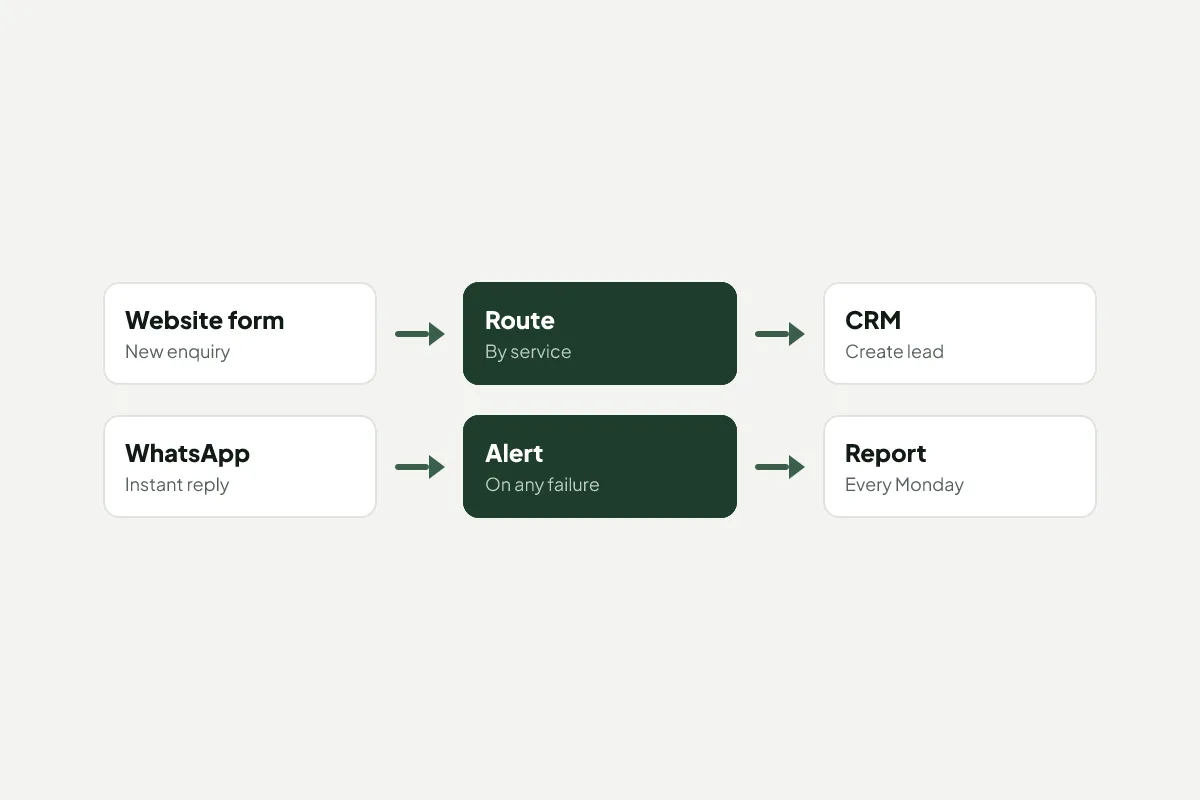
Key facts about Workflow Automation at Kloudwise
- Typical wins
- Lead routing, follow-ups, invoicing, reporting
- Tools
- n8n, Zapier, Make or custom code, whichever fits
- Reliability
- Logs and alerts on every automation
- Timeline
- First automation live in 1–2 weeks
In most small businesses someone spends hours each week moving information from one place to another: copying an enquiry from a form into a spreadsheet, forwarding it to a colleague, sending the same reply, then building a report from it all on Monday. Kloudwise automates that work so it happens instantly, the same way every time.
Start Where the Hours Are
We begin by listing the tasks your team repeats and estimating the time each one takes. The first automation targets the biggest saving with the least risk, so you see value within a couple of weeks rather than at the end of a long project.
Use the Tools You Already Pay for
Automation shouldn’t mean replacing your software. We connect the apps you already use, such as Google Workspace, your CRM, accounting software, WhatsApp Business and website forms, through their official integrations. When no ready-made connector exists, we write a small, tested piece of code.
Built to Be Trusted
An automation that fails silently is worse than none. Every workflow we build keeps a log of each run and sends an alert when something goes wrong, so you always know it’s working. We run new automations alongside the manual process until you’re sure they handle every case.
Fast Replies Win Work
The most valuable automation is often the simplest: replying to a new enquiry within a minute and sending it to the right person. Customers notice, and they’re far more likely to choose the business that answers first.
What's Included
Tools We Use
- n8n
- Zapier
- Make
- Google Workspace
- HubSpot
- WhatsApp Business
- Cloudflare Workers
- A list of your repetitive tasks ranked by hours saved and risk
- Automations that connect your existing apps through their official APIs
- Error alerts and a simple log so you can see every run
- A short guide for your team on what each automation does
- Monitoring and fixes when a connected app changes
How a Workflow Automation Project Runs
Find the time sinks
We list the tasks your team repeats, how often, and what goes wrong when they're missed.
Automate the biggest win first
We pick the task that saves the most time with the least risk and have it running within one to two weeks.
Test with real cases
Each automation runs alongside the manual process until you're confident it gets every case right.
Monitor and extend
Alerts tell us when something fails, and we add the next automation once the first is proven.
Workflow Automation Questions, Answered
What can be automated in a small business?
Most repetitive, rule-based work: sending new website enquiries to the right person, replying to them instantly, creating invoices from completed jobs, chasing unpaid invoices, copying data between apps and building weekly reports. If someone does it the same way every time, it can usually be automated.
Which automation tool do you use?
We choose based on your apps, volume and budget. Zapier and Make are quick to start with, n8n is cheaper at higher volumes and can be self-hosted, and custom code suits complex logic. We'll recommend one and explain why.
What happens when an automation breaks?
Every automation logs each run and sends an alert when one fails, so problems are spotted in minutes rather than weeks. On a support plan we fix failures and adapt automations when one of your apps changes.
Will automation replace my staff?
It removes the copying, chasing and checking that nobody enjoys, so your team can spend their time with customers. Most clients use the hours saved to reply faster and take on more work.
Is my data safe when apps are connected?
We connect apps through their official APIs, give each connection only the permissions it needs, keep credentials in a secure store and avoid copying personal data anywhere it doesn't need to be.
Services That Work Well Together
Custom Software
Web apps, portals and internal tools shaped to your process.
Digital Marketing
Paid ads, social and email campaigns measured to the lead.
Cloud Solutions
Hosting, migration and DevOps on AWS, done right.
Get a Quote for Workflow Automation
Get a fixed quote after a free 15-minute call. We reply to every message within one working day.